Copyright guidance for student newsrooms
Practical copyright guidance and contest checklists for student journalists and advisers. Watch the introduction or explore the free guide.
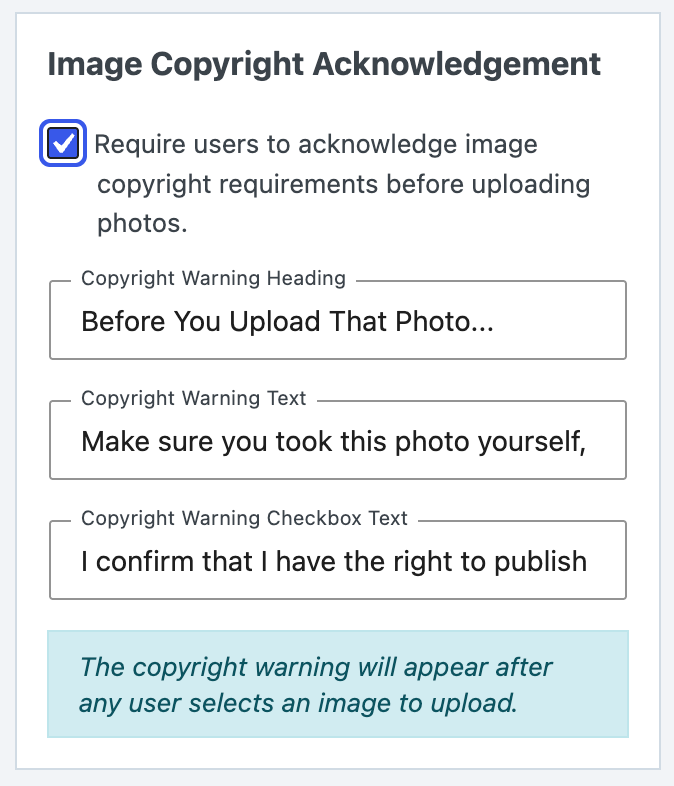
A shout-out to SNO Sites: Its new Image Copyright Acknowledgement feature prompts users to confirm that they have the necessary image rights immediately after selecting an image for upload. Advisers can enable this optional feature under SNO Design Options → General Settings and customize the wording for their newsroom. I appreciate this reminder at the point of upload. It is an acknowledgment, not an automated copyright scan; students still need to verify permissions and license terms. Read SNO’s image copyright guidance ↗
Feature details adapted from SNO Sites’ product update. Settings screenshot courtesy of SNO Sites.
See SNO’s copyright acknowledgment settings
An independent project by David Cutler, created with ChatGPT and reviewed by David. Not produced on behalf of or endorsed by any organization. With thanks to the Student Press Law Center and Journalism Education Association, whose resources are quoted and linked in the guide.